
CamSoda Guide
Full Review & Freemium Cam Experience
CamSoda is a freemium live cam platform built around public room browsing, token-based interaction, private shows, model discovery tools, and a busy homepage filled with live performers, tags, filters, and room previews.
In this guide, we take a closer look at how CamSoda works from the user side, including account creation, age verification, free browsing, tokens, private shows, model categories, live room features, and the main things to understand before spending money on the platform.
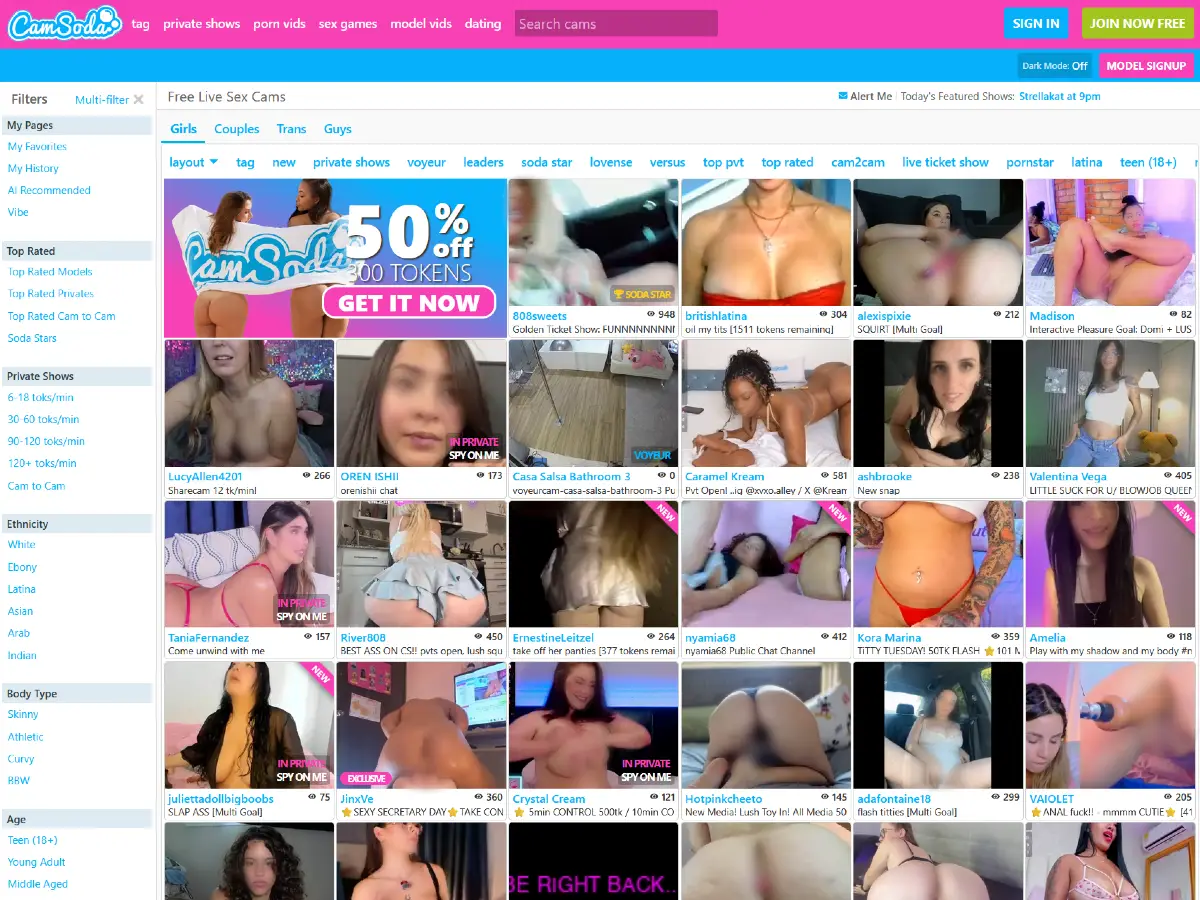
Creating an Account on CamSoda
Open CamSoda.com in a new tab to follow along.
During our test, we first accessed CamSoda using a US IP address. The homepage loaded, but all model thumbnails in the cam grid were blurred, and a large age verification banner appeared above the live room listings.
The message stated: “Verify your age to unlock 18+ content. Required by state law. It's fast and we don't store personal data.”
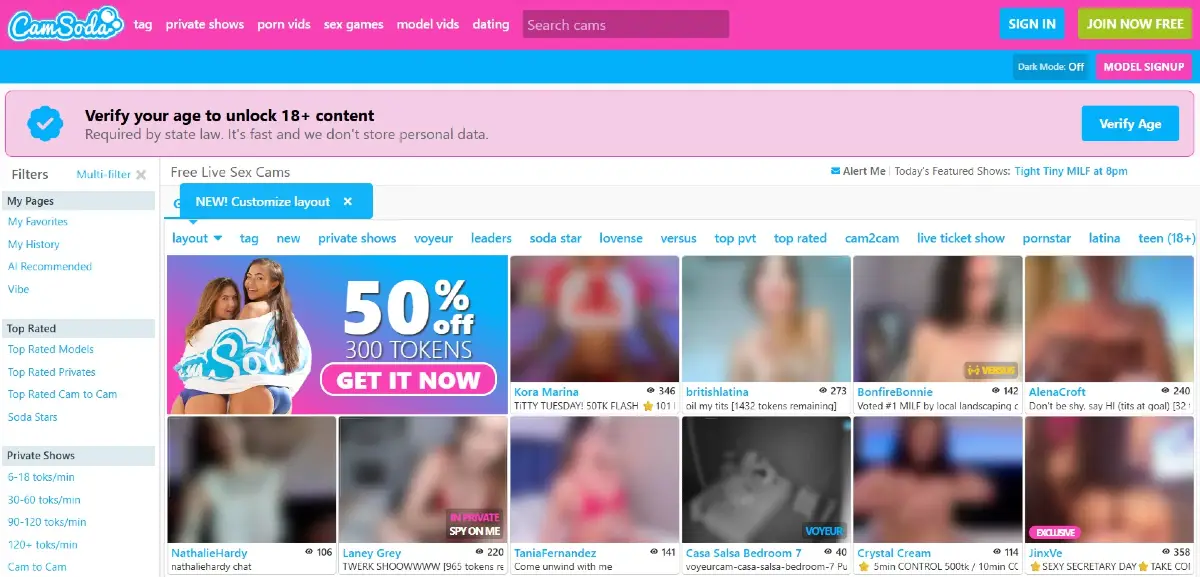
We were still able to navigate the site and open live rooms, but the live stream remained blurred behind an age verification message. Chat messages from registered users were visible, but when we attempted to send a test message, CamSoda immediately displayed an age verification prompt.
Next, we switched from a US IP address to a non-North America IP address. With that connection, the model thumbnails were no longer blurred, the age verification banner did not appear, and live streams were viewable without the same restriction. However, we still could not participate in chat without creating an account.
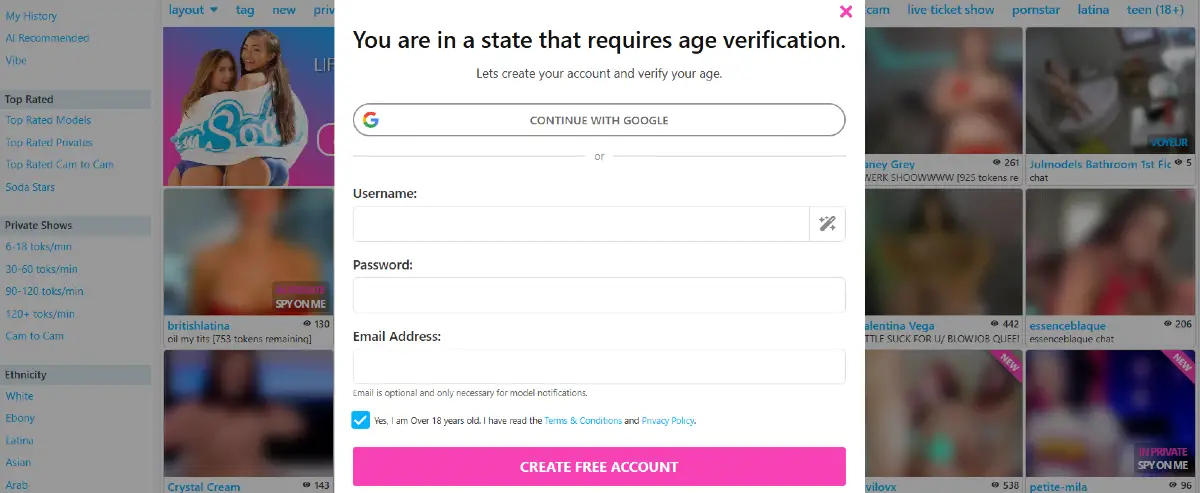
After switching back to a US IP address, we clicked the “Verify Age” button above the cam grid. CamSoda then displayed a signup prompt explaining that we were in a state requiring age verification.
The account creation screen allowed us to continue with Google or create a free account manually by entering a username, password, and email address. The signup form also required confirming that we were over 18 and had read the Terms & Conditions and Privacy Policy.
After creating the account, CamSoda required email verification before we could continue. Once the email address was confirmed, we returned to the platform and logged in.
The next step was age verification. During our test, CamSoda offered three verification options:
- Credit card verification through AgeChecker
- Fast face scan through the AgeGO age verification system
- ID verification through Incode

Overall, CamSoda’s signup process is free, although users in some US states and certain European countries may need to complete age verification before accessing unblurred live streams or participating in chat. This appears to be connected to regional age verification laws rather than a global CamSoda requirement. Outside those restricted regions, browsing may feel more open, but interaction still requires a registered account. Registration itself is absolutely free.
CamSoda Homepage Layout
CamSoda’s homepage feels closer to a fast-moving freemium cam directory than a traditional premium private cam site. The page combines live model thumbnails, public room previews, search tools, category tabs, price filters, tags, and promotional blocks into one large browsing interface.
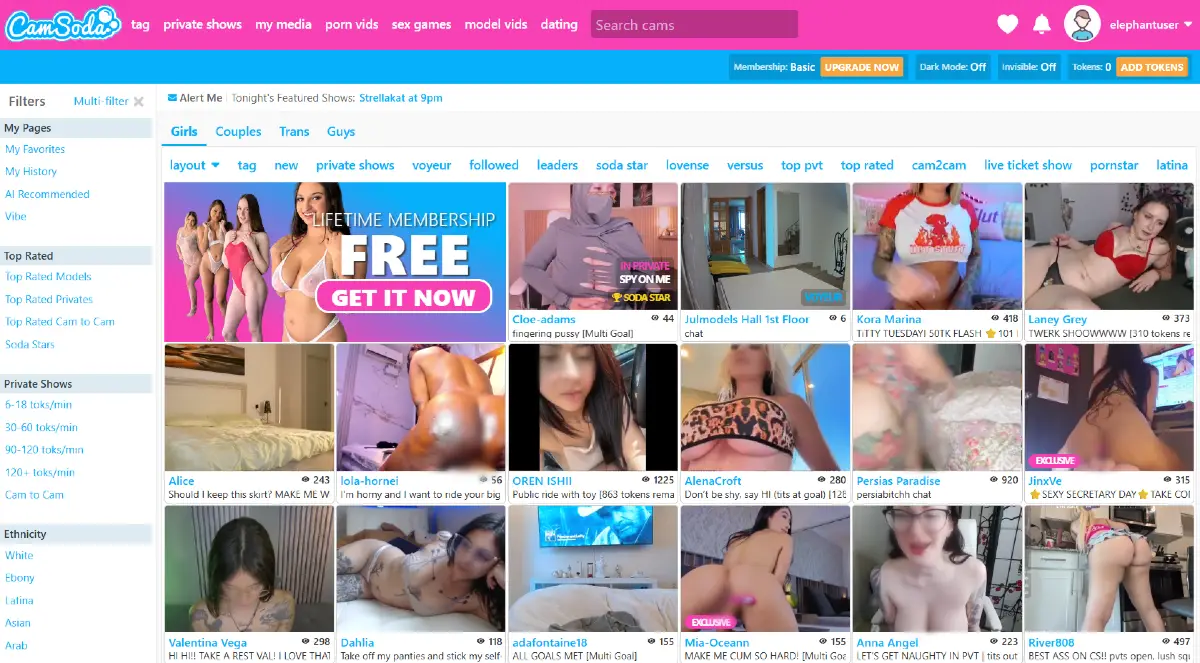
At the top of the page, CamSoda includes the main logo, navigation links, a search box, account icons, membership status, token balance, and shortcuts for adding tokens or upgrading the account. During our test, the top navigation included sections such as tags, private shows, my media, porn vids, sex games, model vids, and dating.
One useful detail near the top of the page is the featured show alert. During our test, CamSoda displayed a message such as “Alert Me | Tonight’s Featured Shows,” followed by a scheduled performer and show time. This gives the homepage a light event-calendar feel, especially for users who want to return later for specific live appearances rather than only browsing whoever happens to be online.
The main browsing area is organized around live room thumbnails. Each thumbnail includes the model or room name, a short room description, and a viewer count showing how many users are currently watching or participating in that room. Some thumbnails also display labels such as private, voyeur, exclusive, or Soda Star, making it easier to understand the room type before entering.
Above the live model grid, CamSoda provides quick category tabs for Girls, Couples, Trans, and Guys. Directly below those tabs, the site includes a horizontal row of tags and sorting shortcuts such as layout, tag, new, private shows, voyeur, followed, leaders, Soda Star, Lovense, versus, top private, top rated, cam2cam, live ticket show, pornstar, and Latina.
The layout menu is especially useful because it allows users to change how the homepage is organized. During our test, CamSoda offered three layout options:
- Classic, which appears to be the standard live cam grid layout
- Sections, which places areas such as favorites and history higher on the page
- Custom, which allows users to adjust the homepage setup themselves
The left sidebar adds another layer of filtering. Users can browse personal sections such as favorites, history, AI recommended rooms, and vibe, then narrow the model grid by top rated rooms, private show pricing, cam-to-cam availability, ethnicity, body type, age group, tags, language, and other discovery filters.
Overall, CamSoda’s homepage is dense but useful. It gives users many ways to browse before spending tokens, including free live room previews, category tabs, scheduled show alerts, price ranges, tags, and room-type labels. The interface can feel busy at first, but the large number of filters helps explain why CamSoda works well as a freemium cam platform built around public browsing, token spending, and private upgrades.
For a more detailed breakdown of the platform’s tags, menus, site sections, left sidebar filters, top navigation, and footer category links, see our CamSoda Categories overview.
CamSoda Models
CamSoda organizes its live model directory into four main browsing areas: Girls, Couples, Trans, and Guys. This makes the platform easier to scan than cam sites that place every performer type inside one endless feed.
During our test, the Girls section appeared to be the main default area, with the largest live room grid and the broadest selection of tags, private show filters, pricing ranges, and room types. Users can browse public rooms for free, check viewer counts, preview room descriptions, and then decide whether to follow, chat, tip, or enter a paid private show.
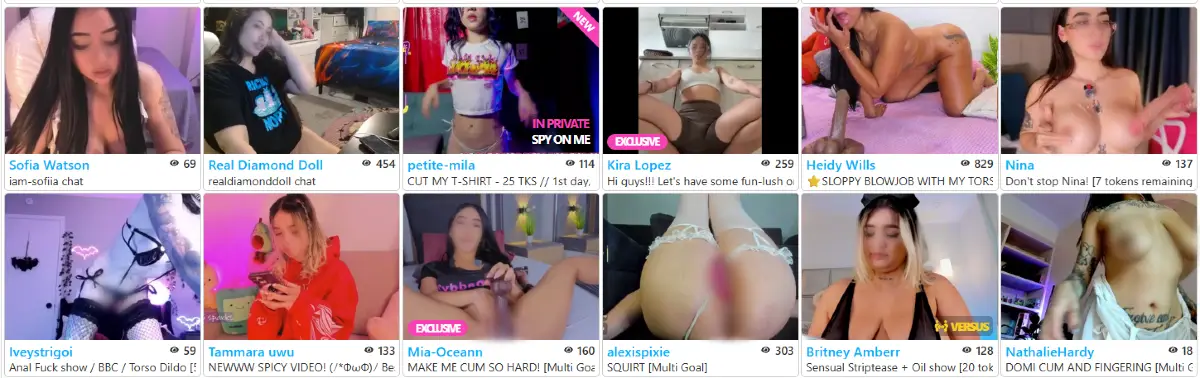
CamSoda also gives separate visibility to couples, trans performers, and male performers through dedicated category tabs. This is useful because each section can have different room styles, pricing, tags, and audience behavior.
For a deeper breakdown of each performer category, see our dedicated guides for:
For deeper browsing, users can also filter models by private show price, cam-to-cam availability, top-rated rooms, Soda Stars, Lovense support, live ticket shows, language, ethnicity, body type, age group, and other discovery tools.
Inside a CamSoda Live Room
A CamSoda live room combines the video stream, chat area, tipping tools, private show buttons, goal progress, and model menu into one busy but functional interface. During our test, the main video occupied the left side of the screen, while the chat, user count, tip activity, Lovense controls, and model menu appeared on the right.
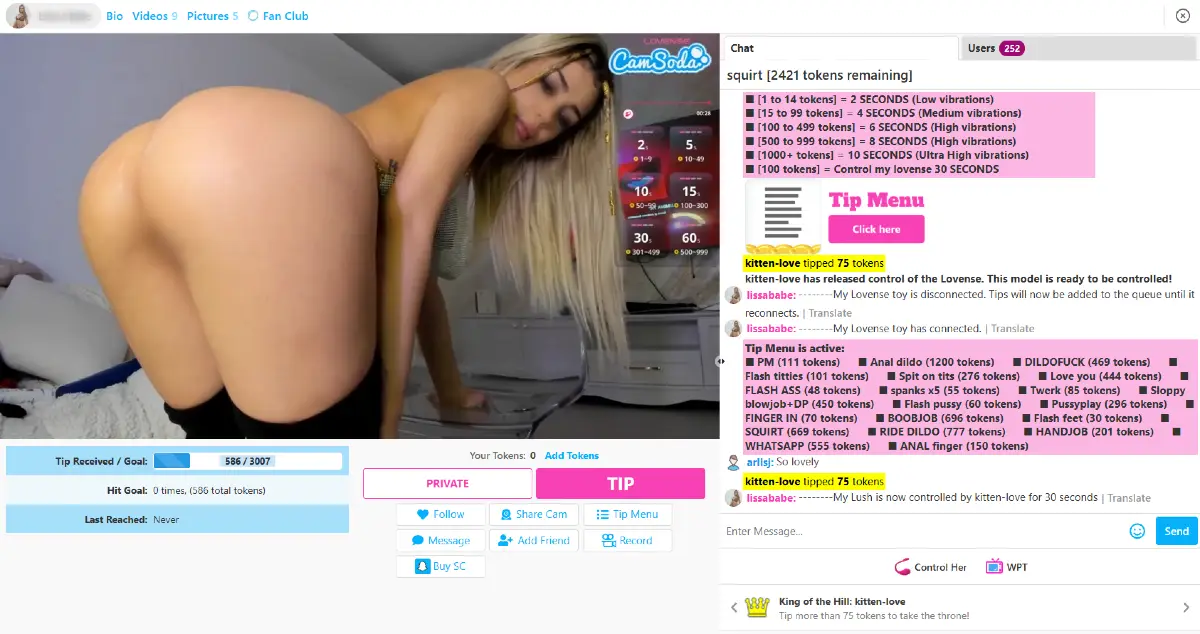
Below the video area, CamSoda displayed the model’s current goal progress. In our test room, the goal was “squirt,” with a total goal amount of 3,007 tokens. At the time we checked the room, the model had received 736 tokens toward that goal.
The room also included several action buttons, including Private, Tip, Follow, Share Cam, Tip Menu, Message, Add Friend, Record, and Buy SC. This gives users multiple ways to interact with a model, from simple following and messaging to tipping, recording, or entering a private show.
One of the more interactive features in the room was Lovense toy support. The model’s Lovense menu showed that tips could trigger different vibration levels based on token amount, starting with low vibrations for smaller tips and increasing to higher vibration levels for larger tips.
During our test, CamSoda also showed a control option for the model’s Lovense toy. Users could control the toy for 30 seconds with a 100-token tip, or use CamSoda’s newer “Cruise Control” feature at 204 tokens per minute.
The model’s tip menu listed many different tip options at different token prices. In this test room, menu items included private message, short flashes, toy actions, Lovense control, and other custom requests. This is important because CamSoda rooms can vary a lot depending on the model: one room may be focused on a goal, another may be focused on private shows, and another may rely heavily on tip-menu interaction.
Overall, a CamSoda live room feels more interactive than a simple public webcam feed. Users can watch the public stream, follow chat activity, check the goal progress, open the tip menu, trigger Lovense actions, tip toward a room goal, or move into a private show if they want a more direct experience.
CamSoda VR Cams
CamSoda also offers a dedicated VR Cams section for users who want a more immersive alternative to standard 2D live rooms. When browsing the Girls category, users can select the VR Cams tag from the left-side menu to filter the model grid to performers currently broadcasting with VR-compatible setups.
With a supported VR headset, these rooms can provide a greater sense of depth and head-tracked viewing while keeping familiar CamSoda features such as live chat, tipping, private shows, room goals, and interactive toys. The number of VR performers online can vary throughout the day.
For headset compatibility, viewing instructions, VR features, stream quality tips, and a closer look at how the experience compares with regular cams and pre-recorded VR content, see our detailed CamSoda VR Cams guide.
CamSoda Pricing
CamSoda uses a token-based pricing system. Users can browse public rooms for free, then buy tokens to spend on tips, private shows, exclusive private shows, Golden Ticket Shows, Lovense controls, tip menu items, and other paid interactions inside live rooms.
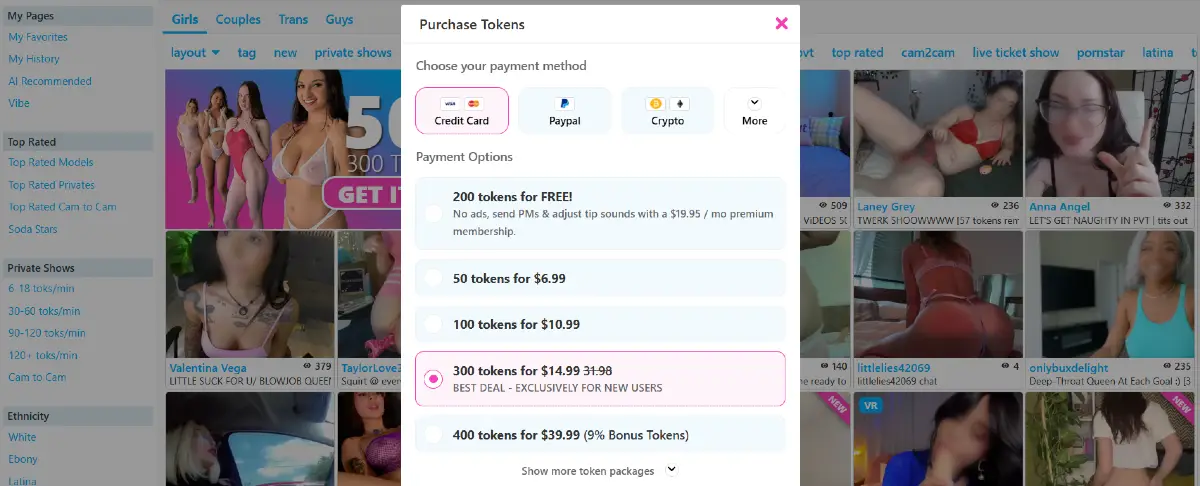
During our test, token packages included options such as 50 tokens for $6.99, 100 tokens for $10.99, and a new-user promotion showing 300 tokens for $14.99. CamSoda also offered larger token packages, payment options like credit cards, PayPal, crypto, gift card trade-ins, and wire transfer, plus a Premium Membership option with additional account features.
Private show pricing can vary widely by model. During our test, regular private shows ranged from 6 to 120 tokens per minute, while exclusive private shows ranged from 12 to 150 tokens per minute. We also found Golden Ticket Shows, where users pay a set token amount to join a ticketed live show.
For a deeper breakdown of token packages, private show costs, payment methods, promotions, Premium Membership, and real-life examples, see our full CamSoda Pricing guide.
How to Become a CamSoda Model
CamSoda also offers a model signup option for performers who want to earn money through live shows, tips, private chats, ticketed shows, uploaded content, and other performer tools. The model signup process is separate from creating a regular user account because performers need to provide additional information before they can broadcast.
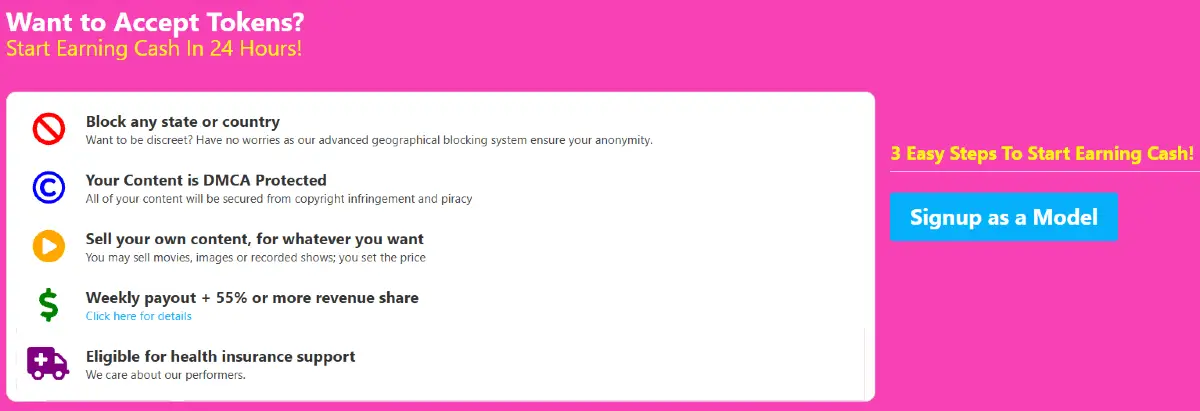
New performers should expect to complete account registration, verify their age and identity, review the performer terms, and wait for account approval before going live. Once approved, models can set up their profile, stream in public rooms, receive tips, offer private shows, sell media, and use platform tools to build repeat viewers.
For a more detailed breakdown of requirements, approval, payout basics, privacy tools, and earning options, see our full CamSoda model signup guide.
Is CamSoda Legit?
Yes, CamSoda is a legit cam site. The platform has been operating since 2015 and, during our test, we were able to browse live rooms, create an account, verify email, view token packages, open live room tools, and see private show, tipping, and model discovery features.
CamSoda also uses regional age verification in some locations. When we accessed the site from a US IP address, thumbnails and live streams were blurred until age verification was completed.
Overall, CamSoda is a legitimate freemium cam platform, but users should still review token prices, private show costs, and account settings before spending.
CamSoda Frequently Asked Questions
Still have questions about CamSoda? Visit our CamSoda FAQ for 50+ quick questions and answers, including topics not fully covered in this guide, such as mobile access, user community, interactive toys, the affiliate program, model signup, payouts, privacy, customer support, and more.
CamSoda Pros and Cons
CamSoda has a lot to offer, especially for users who like free public browsing, busy live rooms, and many ways to interact with models. At the same time, the platform can feel crowded, and paid features can add up quickly if users do not pay attention to token prices.
Pros
- Free public room browsing in many areas of the site
- Large model directory with girls, couples, trans models, and guys
- Room thumbnails show useful details such as model names, room descriptions, labels, and the number of users watching
- Many discovery tools, including tags, filters, search, top rated rooms, new models, and Soda Stars
- Porn Vids section with free categorized adult videos, search tools, full-length videos, and browsing filters
- Interactive live rooms with chat, tips, goals, tip menus, and Lovense controls
- Private shows, exclusive private shows, spy shows, and Golden Ticket Shows
- Multiple payment options, including credit cards, PayPal, crypto, gift cards, and wire transfer during our test
- Model signup, performer tools, and affiliate program options
Cons
- The homepage and live rooms can feel busy for first-time users
- Token spending can add up quickly during private shows, tips, and paid interactions
- Private show prices vary widely by model
- Age verification may be required in some regions before viewing unblurred streams
- Some features require an account before users can interact
Overall, CamSoda works best for users who like browsing public cam rooms first and then choosing whether to spend tokens on specific models, shows, or interactive features.
Is CamSoda Worth It?
CamSoda is worth considering if you like public cam room browsing, token-based interaction, and a large mix of models, categories, tags, private shows, and live room tools.
The platform works best for users who want to browse for free first and then decide whether to spend tokens on tips, private shows, Golden Ticket Shows, or interactive features. It may feel busy at first, but the number of filters and room options gives users a lot of control.
Overall, CamSoda is worth it for users who understand how tokens work, check prices before spending, and enjoy a freemium cam site with many ways to interact.
The Good, The Bad & The Ugly
CamSoda does several things well. The platform gives users a large live cam directory, free public room browsing, useful thumbnail details, visible room activity, category tabs, tags, filters, private show options, and separate sections for girls, couples, trans models, and guys. It also goes beyond live rooms with areas such as porn vids, sex games, model media, and performer discovery tools.
The strongest part of the experience is how much information users can see before entering a room. Model thumbnails show details such as usernames, room descriptions, labels, and viewer counts, which makes it easier to understand how active a room is before clicking. The live rooms themselves also include tipping tools, goals, menus, private show buttons, Lovense controls, chat activity, and other interactive features.
The downside is that CamSoda can feel busy at first. The homepage includes many menus, tags, filters, labels, promotions, account options, and room types competing for attention. New users may need time to understand the difference between free browsing, token-based interaction, private shows, exclusive private shows, Golden Ticket Shows, and premium account features.
The other important caution is spending. CamSoda is easy to browse for free, but like most online cam platforms, token costs can add up quickly once users start tipping, entering private shows, joining ticketed shows, or using interactive features. The best experience comes from checking prices carefully before spending and treating tokens like real money.
Overall, CamSoda feels like a busy, feature-rich freemium cam platform with a lot of browsing freedom and many ways to interact. It may not be the simplest cam site for first-time users, but for people who enjoy active public rooms, model variety, filters, and token-based features, it offers a lot to explore.
Visit CamSoda.com to explore the platform.