
CamSoda VR Cams
Live Nude Models, Headsets & Sex Shows
CamSoda VR cams let you watch live nude models in virtual reality for a more immersive alternative to standard 2D cam shows. The VR section features compatible live broadcasts that can be viewed with supported headsets, while keeping familiar CamSoda features such as public chat, tipping, private shows, and interactive toys.
This guide explains how to find CamSoda VR models, which headsets can work, what to expect from live VR streams, and how to get the best viewing quality.
For a complete overview of the platform, including pricing, features, live rooms, and account creation, see our Full CamSoda Guide.
How to Find VR Cams on CamSoda
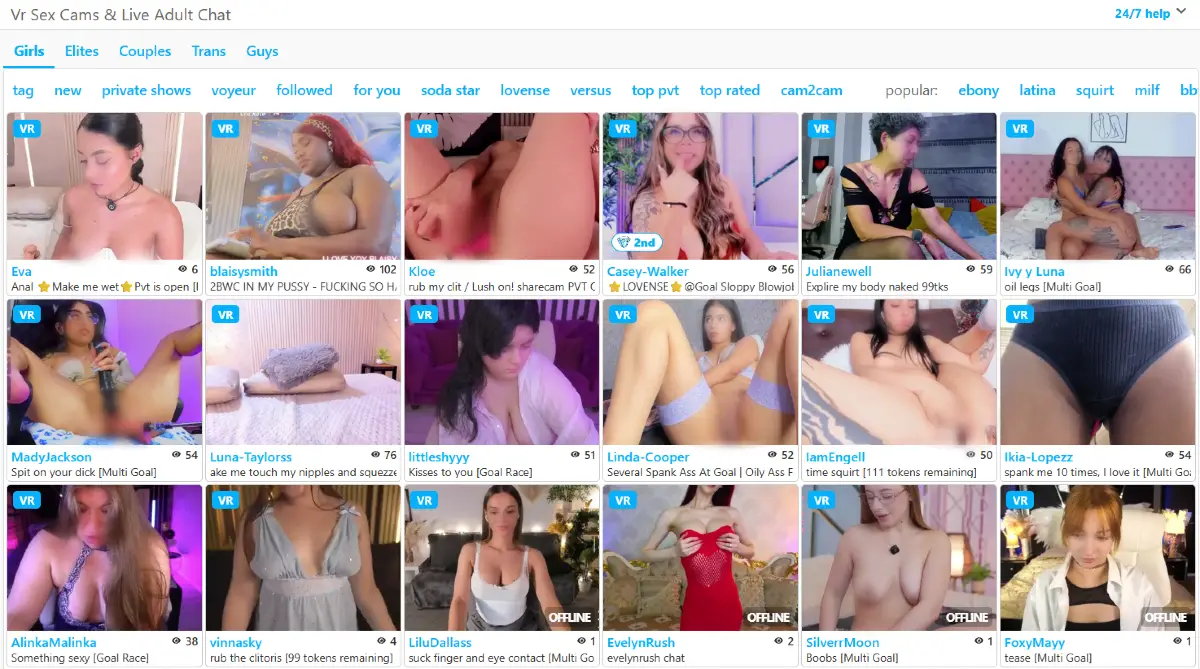
CamSoda separates VR-compatible broadcasts from its regular live rooms. To find them, first select Girls from the main navigation. The VR Cams tag then appears in the left-side menu, where you can select it to filter the model grid to performers currently broadcasting with VR-compatible setups.
At the time of our review, the VR Cams tag did not appear when browsing the Couples, Trans, or Guys sections. Available VR rooms can also change throughout the day depending on which models are online.
How to Watch CamSoda VR Cams
You can open CamSoda directly from the browser built into your VR headset. The exact controls vary slightly by headset, but the basic process is straightforward:
- Put on a compatible VR headset.
- Open the headset’s native web browser.
- Go to CamSoda.
- Select Girls from the main navigation.
- Open the VR Cams section from the site menu.
- Choose one of the available VR models and enter her live room.
- If a VR viewing option appears in the player, select it to switch from the standard browser view to the immersive headset view.
You can also browse the VR section from a regular desktop or mobile browser before using your headset. The room will display as a standard 2D stream unless you switch to a supported VR viewing mode.
How CamSoda VR Cams Work
CamSoda VR cams use specially equipped live rooms that are designed to create a more immersive view than a standard 2D webcam stream. The performer broadcasts with a VR-compatible camera, while you watch through a supported headset that displays separate views for each eye to create a sense of depth.
As you move your head, the headset adjusts your view of the scene, making the experience feel more like sitting inside the room rather than watching it on a flat screen. Most live VR cam setups use a forward-facing 180-degree view, although the exact camera equipment and field of view can vary by performer.
The show is still live and interactive. You can use the same CamSoda account, chat with the model, send tips, and access other supported room features while watching in VR. Because the video has to be streamed in real time, picture quality depends on the model's camera, lighting, stream settings, your internet connection, and the capabilities of your headset.
Live VR streams can also have a small delay between the performer and viewer, similar to regular live cams. A strong connection and a modern headset browser generally provide the smoothest experience.
What You Can Do in a CamSoda VR Sex Show
A CamSoda VR sex show keeps most of the interactive features you would expect from a regular live room, but presents the performer through a more immersive VR view. You can watch the model in real time while using chat, tipping, private-show options, and other room controls.
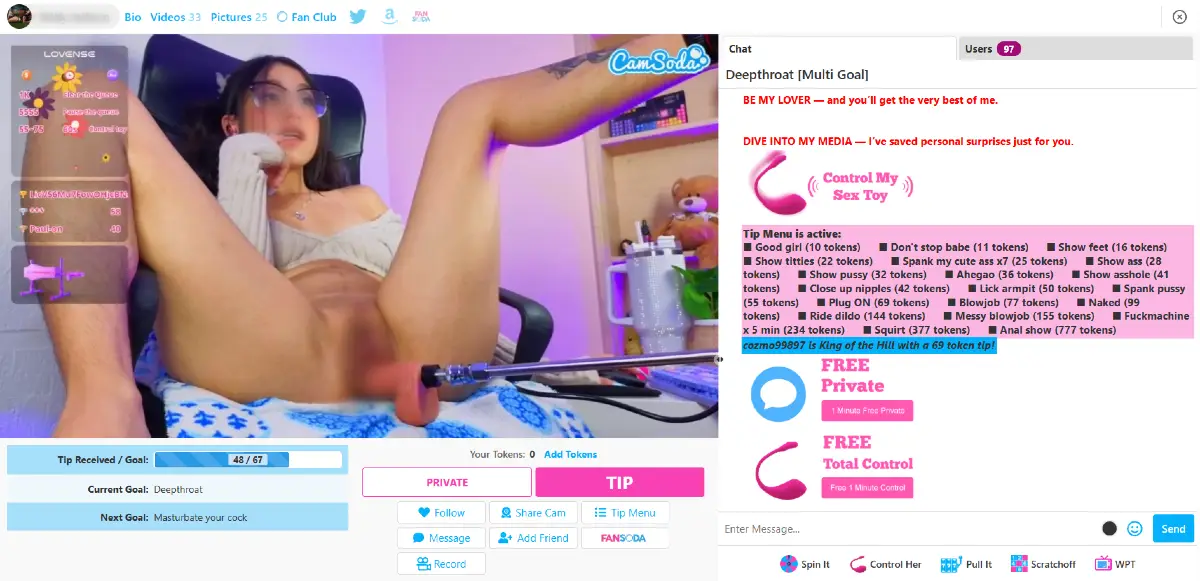
- Chat with the model: Send messages during the live show and interact with the performer and other viewers in the room.
- Send tips: Tip the model directly or use her tip menu to request specific actions when available.
- Join private shows: Some VR models offer private sessions for a more personal one-on-one experience.
- Control interactive toys: Models using Lovense or other compatible toys may allow tips to trigger vibrations or other responses in real time.
- Follow performers: Follow VR models you like so they are easier to find again when they return online.
- Use Cam2Cam or Share Cam: Where supported, you may be able to share your own camera with the performer during the session.
- Participate in room goals: Many performers use tip goals and multi-goal menus that unlock actions as viewers contribute tokens.
The biggest difference is the viewing perspective. Instead of watching the performer only through a flat browser window, a compatible headset gives the room greater depth and lets the scene respond to your head movements while the show remains live and interactive.
Supported VR Headsets
CamSoda VR cams should work with many modern VR headsets that include a capable web browser and support immersive video playback. In most cases, you can open CamSoda directly inside the headset browser without installing a separate app.
- Meta Quest, Quest 2, Quest 3, and Quest Pro
- Pico 4 and Pico Neo headsets
- HTC Vive and Vive Pro
- Valve Index
- HP Reverb G2
- Pimax 5K and 8K headsets
- Windows Mixed Reality headsets
- Oculus Rift and Rift S
- Samsung Gear VR and other older compatible headsets, although support may be limited
Compatibility can vary depending on the headset, browser version, and CamSoda's current VR player. Keeping your headset firmware and browser up to date can help avoid playback or decoding problems.
You can also open CamSoda VR rooms on a regular desktop or mobile browser, but they will generally appear as a standard 2D video unless you are using a compatible headset and VR viewing mode.
CamSoda VR Cams vs. Regular Live Cams
The main difference between CamSoda VR cams and regular live cams is the way you view the performer. A standard cam room displays the broadcast as a flat 2D video on your computer, phone, or tablet, while a VR-compatible room is designed to create a sense of depth when viewed through a supported headset.
Both types of rooms can still include the same core CamSoda features, such as live chat, tipping, private shows, interactive toys, and room goals. The VR version changes the viewing experience rather than replacing the interactive parts of the site.
- Regular live cams: Easier to access from almost any device and usually require less bandwidth.
- VR cams: Offer a more immersive perspective with depth and head-tracked viewing on a compatible headset.
- Interaction: Both can support chat, tips, private sessions, goals, and interactive toys depending on the model.
- Availability: Regular rooms are much more common, while the number of VR models online at any given time is more limited.
If you mainly want quick access and a large selection of performers, regular CamSoda rooms are the simpler option. If you already own a VR headset and want a more immersive live experience, the VR section offers something noticeably different from the standard cam view.
VR Cams vs. Pre-Recorded VR Porn
CamSoda VR cams and pre-recorded VR porn use similar immersive viewing technology, but they offer very different experiences. The biggest difference is that CamSoda VR shows are live, while VR porn videos are recorded in advance.
- Live VR cams: The performer is broadcasting in real time and can respond to your messages, tips, requests, and interactive toy activity.
- Pre-recorded VR porn: The scene has already been filmed, so you can replay or pause it, but there is no live interaction with the performers.
- Video quality: Pre-recorded VR videos can generally use higher resolutions and bitrates because they do not have to be transmitted live.
- Control: Recorded videos give you more control over playback, while live cams give you more control over the interaction through chat, tipping, and requests.
- Availability: A recorded scene is available whenever you want to watch it, while a VR cam depends on compatible performers being online at that moment.
For viewers who mainly want the highest possible image quality and the ability to replay a scene, pre-recorded VR content has an advantage. CamSoda VR cams are better suited to viewers who value real-time interaction and the feeling of sharing a live room with the performer.
Getting the Best VR Stream Quality
Live VR video requires more bandwidth and processing power than a standard 2D cam stream, so your headset, browser, and internet connection can make a noticeable difference. A few basic adjustments can help CamSoda VR rooms look smoother and more immersive.
- Use a fast connection: Connect your headset to a strong 5 GHz or Wi-Fi 6 network when possible. A wired connection can also help with PC-based VR headsets.
- Keep your headset updated: Install the latest headset firmware and browser updates to improve video compatibility and playback performance.
- Use the headset's native browser: Modern built-in browsers are generally the simplest option for accessing browser-based VR streams.
- Clean the lenses: Fingerprints and smudges can make a good stream appear blurry, so clean the headset lenses before watching.
- Adjust the IPD: Set the interpupillary distance correctly for your eyes. An incorrect setting can make the image uncomfortable, blurry, or difficult to focus.
- Stay close to your Wi-Fi router: A weak wireless signal can cause buffering, reduced image quality, or interruptions during a live show.
- Give the stream a moment to stabilize: Some live video players initially load at a lower quality and increase the bitrate once the connection proves stable.
The performer's setup matters too. Camera quality, room lighting, encoding settings, and upload speed can all affect what you see, so image quality may vary from one CamSoda VR model to another even when your own equipment and connection are working well.
Are CamSoda VR Cams Worth Trying?
CamSoda VR is worth trying if you already own a compatible headset and want a more immersive alternative to a standard live cam room. The biggest advantage is that you still get the interaction of a live show, including chat, tipping, private sessions, goals, and interactive toys, while viewing the performer in a VR-compatible environment.
The main limitation is availability. CamSoda has far more regular live rooms than VR rooms, so the selection of VR models online at any given time can be relatively small. Stream quality can also vary depending on the performer's equipment, lighting, and connection.
If you are curious about live VR cams, visit CamSoda.com, select Girls, and look for the VR Cams tag in the left-side menu to see which VR performers are currently online.