
Stripchat Categories
Filters & Browsing Tags
In this section, we explore how Stripchat is organized for browsing, including its left sidebar, performer filters, specialty categories, private show price ranges, popular tags, and the expanded All Categories directory.
The page also explains how users can narrow the live model grid by age, ethnicity, body type, hair color, interactive features, interests, and other category-based options available across the platform.
For a complete overview of the platform, including pricing, models, live rooms, account creation, and interactive features, see our Full Stripchat Guide.
Stripchat Left Side Menu
Stripchat’s left side menu works as the platform’s main browsing and filtering panel. It combines personal shortcuts, specialty sections, age groups, performer characteristics, private show filters, popular tags, and a link to the much larger All Categories directory.
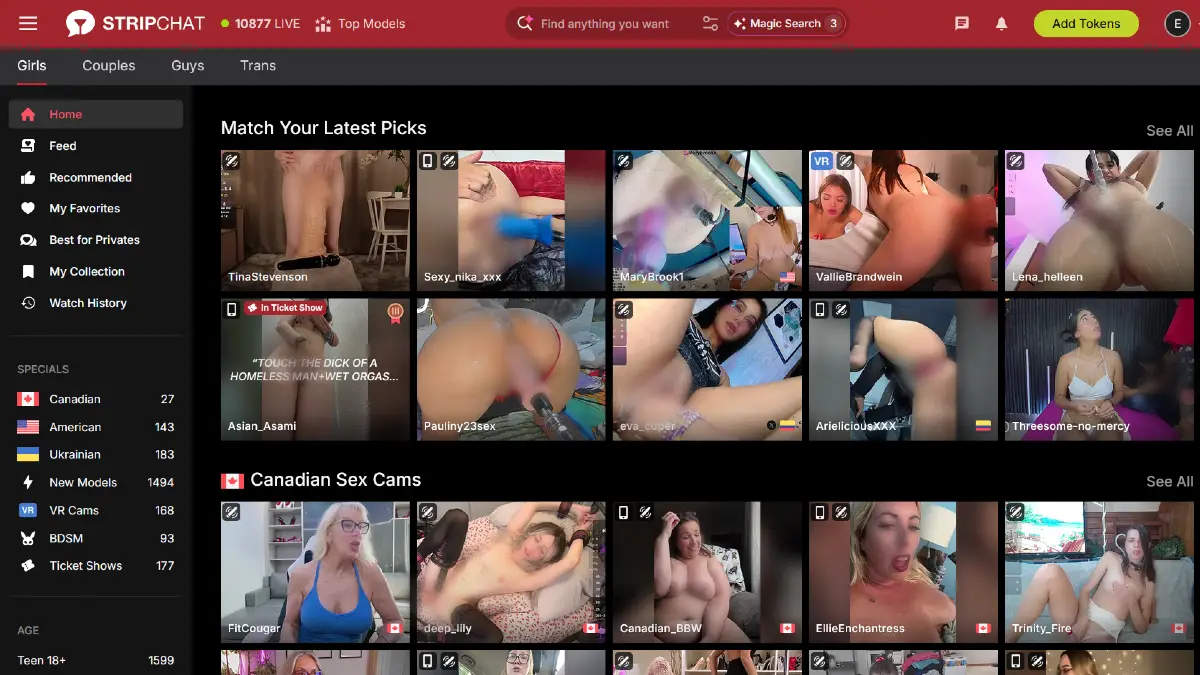
At the top of the sidebar, Stripchat includes personal browsing links such as Home, Feed, Recommended, My Favorites, Best for Privates, My Collection, and Watch History. These sections help registered users return to followed performers, revisit previously viewed rooms, and discover models based on their activity on the site.
The Specials section provides quick access to categories such as Canadian, American, Ukrainian, New Models, VR Cams, BDSM, and Ticket Shows. The number displayed beside each category indicates how many matching performers are currently available.
Stripchat then organizes models by Age, with categories including Teen 18+, Young 22+, MILF, Mature, and Granny. Additional sections allow users to browse by Ethnicity, including Arab, Asian, Ebony, Indian, Latina, Mixed, and White performers.
The Body Type section includes Skinny, Athletic, Medium, Curvy, and BBW, while the Hair filters include Blonde, Black, Brunette, Redhead, and Colorful. These shortcuts make it possible to narrow the live directory without using the main search bar.
Stripchat also includes a dedicated Private Shows section. During our test, users could browse models by private show price ranges such as 8-12 tokens, 16-24 tokens, 32-60 tokens, and 90+ tokens. Additional options included Recordable Privates, Spy on Shows, and Video Call (Cam2Cam).
Farther down the sidebar, the Popular section includes frequently used categories and tags such as Interactive Toy, Mobile, Group Sex, Big Tits, Hairy Pussy, Outdoor, Big Ass, Anal, Squirt, Fuck Machine, Hardcore, Blowjob, Small Tits, Pregnant, Fisting, Masturbation, Shaven, Deepthroat, Office, and Foot Fetish.
At the bottom of the left side menu, Stripchat includes an All Categories link. This opens a much larger directory with hundreds of categories and subcategories organized into sections such as Appearance, Activities on Request, Specifics, Countries & Languages, and Fetishes & Kinks.
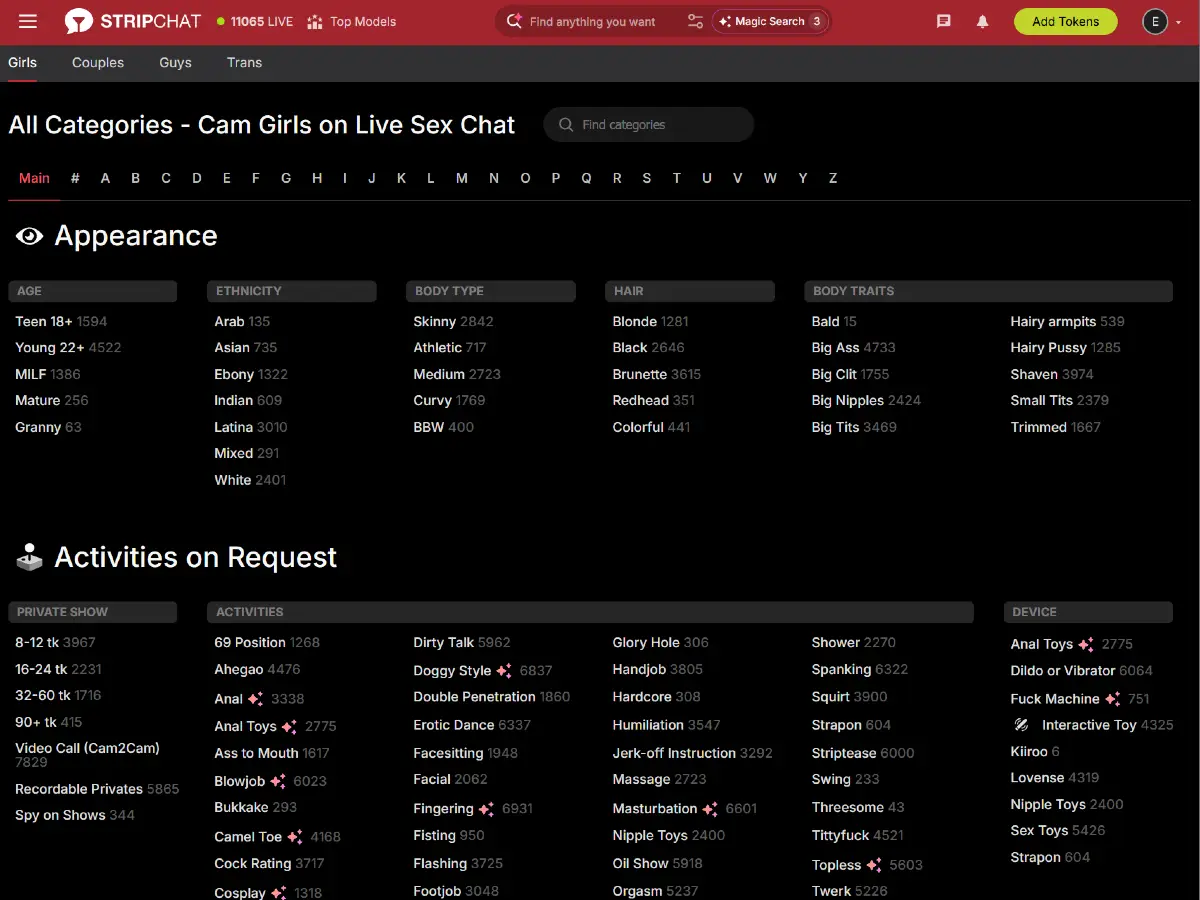
Overall, Stripchat’s left sidebar gives users several layers of discovery, from broad performer groups and private show pricing to detailed physical traits, activities, devices, and niche interests. The All Categories page expands this system even further for users who want to browse beyond the most common homepage filters.
Stripchat Top Navigation Menu
Stripchat’s top navigation menu keeps the platform’s main tools within easy reach while users browse live rooms. From left to right, the header includes the Stripchat logo, the number of performers currently online, Top Models, the search area, messages, notifications, token purchases, and the user profile menu.

The Stripchat logo works as a shortcut back to the homepage, while the live counter shows how many models are currently broadcasting. Next to it, the Top Models section highlights performers ranked by the total StripPoints they have earned, with top positions awarded regionally to showcase leading models from different areas.
We cover Stripchat’s performer directory and Top Models area in more detail in our Stripchat Models guide.
The center of the header contains the main search box, which helps users find models and categories, together with additional search and discovery controls. On the right side, registered users can access messages, notifications, the Add Tokens button, and their account profile.
Directly below the main header, Stripchat keeps performer browsing especially simple with four primary tabs: Girls, Couples, Guys, and Trans. These links let users switch between the platform’s main model categories without opening another menu.
Each performer type is covered in more detail in our dedicated Stripchat guides: Stripchat Models, Stripchat Couples, Stripchat Guys, and Stripchat Trans Models.
Overall, the top navigation is much simpler than Stripchat’s left sidebar. It focuses on the site’s main browsing categories, search and discovery tools, account activity, and token access while leaving the more detailed filtering options to the side menu.
Visit Stripchat.com to explore the platform.