
Cams.com Live Rooms
Chat, Tips & Private Shows
Inside a Cams.com live room, the overall interface continues the same simple and direct design philosophy seen across the rest of the platform. The main video feed takes up most of the screen, while the chatroom and interaction tools remain positioned along the right side.
In our testing, performed during a slower period of the day, the room interface remained clean and easy to follow without feeling overloaded with menus, alerts, or visual distractions.
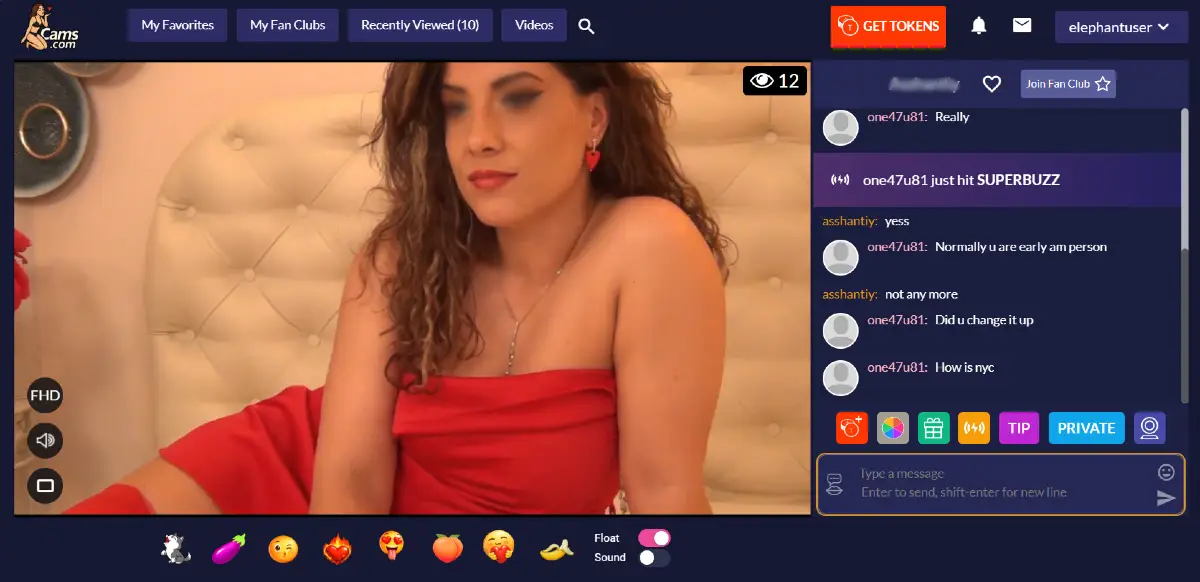
The main player area includes controls for video quality, audio volume, and Theater Mode along the lower left corner of the screen. The top right corner also displays the current number of viewers inside the room.
Along the bottom area of the interface, users can send emojis and interactive reactions directly to the model using tokens.
Overall, we found the live room layout surprisingly lightweight and easy to navigate compared to many cam sites that overload the viewing experience with excessive popups and layered menus.
For a complete overview of the platform, see our Full Cams.com Guide.
Cams.com Interaction Tools
Most interaction happens directly through the live room chat and token system positioned beside the video player. The platform keeps these controls relatively compact, allowing users to interact with models without covering large portions of the screen with menus or popups.
The main chat area allows viewers to communicate publicly with the model and other users inside the room. Along the lower portion of the interface, users can also send emojis and animated reactions using tokens.
Directly underneath the chatroom, the platform includes several additional interaction tools and premium features.
- Buy Tokens allows users to quickly purchase additional platform credits without leaving the room interface.
- Wheel of Fun lets viewers spend tokens to unlock random interactive rewards selected by the model, ranging from blow kisses to sexy dances.
- Gift options allow users to send virtual items such as flowers, purses, and jewelry, with token costs configured individually by the performer.
- Superbuzz provides an additional premium interaction option configured by the model.
- Tip menus allow viewers to send token amounts directly to the performer. During our testing, tip amounts ranged from around 30 tokens up to 10,000 tokens depending on the room.
Compared to many other cam sites filled with layered notifications and oversized tipping overlays, we found the interaction system surprisingly lightweight and easy to navigate.
Visit Cams.com to explore the live rooms, tipping features, and interactive tools.
Private Shows and Cam2Cam Features
Private interaction is one of the main focuses of the platform. Throughout our testing, we noticed that many live rooms actively encouraged users to move into private or exclusive sessions using clearly visible room labels and interaction buttons positioned beside the chat area.
The Private button allows users to enter one on one paid sessions directly with the model. During these sessions, interaction becomes limited to the paying viewer and the broadcaster.
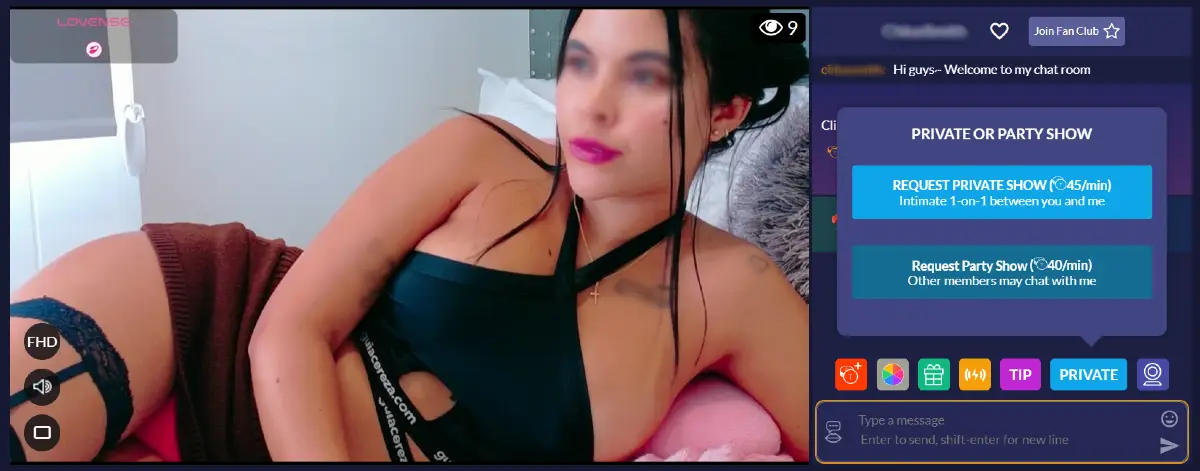
Some rooms also displayed EXCLUSIVE labels, identifying sessions where the performer was interacting privately with a single user and no additional viewers were allowed access to the room.
In certain private rooms, users could still access limited previews through the platform’s “Take a Peek” feature by spending tokens to temporarily watch ongoing sessions without fully joining the private interaction.
The platform also includes a Cam2Cam option, allowing viewers to activate two way webcam interaction during supported sessions. This creates a more direct private experience between the model and the viewer.
Compared to many cam platforms that heavily push aggressive upsells and layered premium systems, we found the private interaction tools relatively straightforward and easy to understand.
Visit Cams.com to explore private shows and live room interaction features.