
Cam4 FAQ
50+ Questions & Answers
Explore over 50 quick questions and answers about Cam4, including how the platform works, free access, verification requirements, payment options, live interaction, broadcaster features, privacy tools, and ways performers can earn.
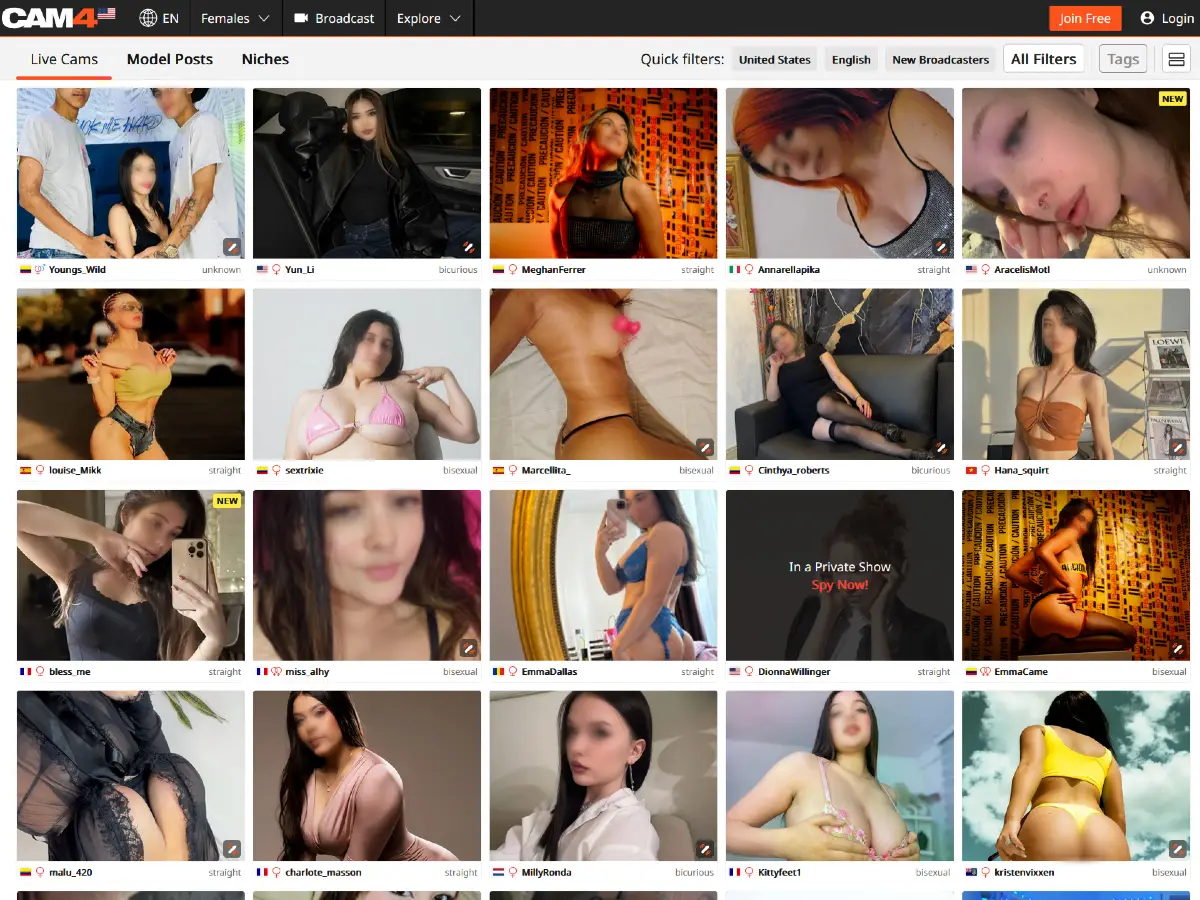
For a complete overview of the platform, see our Full Cam4 Guide.
Cam4 Frequently Asked Questions and Answers
1. What is Cam4?
Cam4 is a live cam platform where adult broadcasters stream in real time and interact with viewers through public chat, tips, private shows, Fan Clubs, and other live features. The platform includes female, male, transgender, couple, and group broadcasters, and registered users can also broadcast themselves.
2. Is Cam4 free?
Cam4 is free to browse in many ways. Users can explore public rooms and live broadcasters without paying, but tokens are needed for tipping, private shows, Fan Clubs, interactive features, and other premium experiences.
3. Do I need an account to access Cam4?
No. Cam4 allows visitors to browse many areas of the platform and open public rooms without creating an account. However, a free account is needed for features such as chatting, following broadcasters, sending tips, buying tokens, joining Fan Clubs, and using other interactive options.
4. How do I create a Cam4 account?
You can create a free Cam4 account by clicking the “Join Free” button, choosing a username and password, entering your email address, and agreeing to the platform’s Terms and Conditions and Privacy Policy. Cam4 then sends a verification email with a link used to activate the account.
5. Does Cam4 require email verification?
Yes. During our testing, Cam4 required email verification after creating a free account. The platform sends a verification email containing a link that must be clicked to activate the account and access additional features.
6. Can I browse Cam4 without logging in?
Yes. Cam4 allows visitors to browse many areas of the site and open public rooms without logging in. However, features such as chatting, following broadcasters, buying tokens, sending tips, and other interactive options require a free account.
7. Is Cam4 legit?
Yes. Cam4 is a legitimate live cam platform that has been operating for many years and provides established features for account creation, live broadcasting, token purchases, private interactions, age verification, and performer payouts.
8. Does Cam4 require age verification?
Cam4 may require age verification depending on the user’s location. During our testing, opening certain live rooms triggered an Adult Verification notice asking users to create a free account and verify their age before continuing.
9. Why is Cam4 asking me to verify my age?
Cam4 may ask users to verify their age to comply with adult-content laws and regional access requirements. During our testing, users in certain locations were required to complete age verification before accessing some live rooms and other restricted content.
10. What is Yoti?
Yoti is an age and identity verification service used by Cam4 in certain locations. During our testing, Cam4 opened a Yoti verification window offering methods such as Digital ID, age estimation, ID verification, and Yoti Key.
11. What verification methods does Cam4 use?
During our testing, Cam4 used the Yoti age verification system and offered several verification methods, including Digital ID, age estimation, ID verification, and Yoti Key. The options available may vary depending on the user’s location and device.
12. Does Cam4 age verification depend on location?
Yes. Cam4’s age verification requirements may vary by location. During our testing, users in the United States and some European countries could encounter additional verification prompts before accessing certain live rooms or restricted content.
13. What are Cam4 tokens?
Cam4 tokens are the virtual currency used across the platform. Viewers can buy tokens and use them to tip broadcasters, pay for private interactions, activate interactive features, join Fan Clubs, and access other premium options.
14. What are Cam4 tokens used for?
Cam4 tokens are used for tipping broadcasters, paying for private interactions, activating interactive features, joining Fan Clubs, and accessing other premium options available across the platform.
15. Can I buy Cam4 tokens with PayPal?
Yes. During our testing, PayPal appeared as one of the available payment methods for purchasing Cam4 tokens. Payment options may vary depending on the user’s location, account, and current platform settings.
16. Does Cam4 accept cryptocurrency?
Yes. During our testing, cryptocurrency appeared as one of the available payment methods for purchasing Cam4 tokens. Payment options may vary depending on the user’s location, account, and current platform settings.
17. Does Cam4 accept gift cards?
Yes. During our testing, gift cards appeared as one of the available payment methods for purchasing Cam4 tokens. Payment options may vary depending on the user’s location, account, and current platform settings.
18. What is Cam4 Gold Membership?
Cam4 Gold Membership is an optional paid subscription that adds extra features to a standard account. During our testing, Cam4 promoted benefits such as ad-free browsing, unlimited private messaging, anonymous tipping and chat, automatic chat translations, exclusive token offers, and monthly member bonuses.
19. What does Cam4 Gold Membership include?
During our testing, Cam4 Gold Membership included features such as ad-free browsing, unlimited private messaging, anonymous tipping and chat, automatic chat translations, exclusive token offers, and monthly member bonuses.
20. Can I use Cam4 without buying tokens?
Yes. Cam4 allows users to browse many public rooms and explore live broadcasters without purchasing tokens. Tokens are mainly needed for tipping, private interactions, Fan Clubs, interactive features, and other premium options.
21. What types of broadcasters are on Cam4?
Cam4 includes female, male, transgender, couple, and group broadcasters from different countries and backgrounds. The platform also features both experienced cam models and regular users who choose to broadcast themselves.
22. Can I search Cam4 models by country?
Yes. Cam4 includes country filters that allow users to browse broadcasters from specific locations. During our testing, country was one of the options available through the platform’s browsing and filter tools.
23. Can I filter Cam4 models by language?
Yes. Cam4 includes language filters that allow users to browse broadcasters based on the languages they speak. During our testing, language was one of the available browsing options on the platform.
24. What Cam4 filters are available?
During our testing, Cam4 offered filters for Country, Language, Body Type, Breast Size, Orientation, and other browsing preferences. The platform also includes options for Friends, Following, Tags, new broadcasters, and additional category-based filters.
25. What are Cam4 tags?
Cam4 tags are descriptive labels used to help users discover broadcasters and room types based on interests, categories, and stream styles. During our testing, hovering over broadcaster thumbnails revealed tags that provided additional information before entering a live room.
26. Can I follow Cam4 models?
Yes. Registered Cam4 users can follow broadcasters so they can find them more easily later and keep track of models they enjoy watching.
27. Can I add Cam4 models as friends?
Yes. Cam4 includes an Add Friend option inside live rooms, allowing registered users to connect with broadcasters and keep track of models they interact with on the platform.
28. What happens inside a Cam4 live room?
Inside a Cam4 live room, viewers can watch the broadcaster in real time while using public chat, sending tips, viewing token goals, and accessing private interaction options. Depending on the broadcaster, the room may also include Fan Club features, interactive toys, private tips, inbox messaging, and other live engagement tools.
29. Can I chat for free in a Cam4 live room?
Yes. Registered users can use public chat in Cam4 live rooms without buying tokens. Tokens are mainly needed for tipping, private interactions, Fan Clubs, interactive features, and other premium options.
30. What are Cam4 private shows?
Cam4 private shows are paid live sessions that allow viewers to interact more directly with a broadcaster outside the regular public room experience. The availability, format, and token cost of a private show can vary depending on the broadcaster.
31. What are Cam4 Fan Clubs?
Cam4 Fan Clubs allow viewers to support individual broadcasters through a membership-style feature. For models, Fan Clubs can provide an additional source of income alongside public tips, private shows, MyShop sales, and other earning options.
32. What is Cam4 Live Touch?
Cam4 Live Touch is an interactive feature that can connect compatible sex toys to token activity during a live broadcast. When viewers send tips, the toy can respond according to settings chosen by the broadcaster, creating a more interactive experience.
33. Can Cam4 models use interactive toys?
Yes. Cam4 supports interactive toy features such as Live Touch, which can connect compatible devices to token activity during a broadcast. The broadcaster controls the available settings and how tips trigger the toy.
34. Can regular users broadcast on Cam4?
Yes. Registered Cam4 users can broadcast themselves through the platform. Broadcaster mode allows users to appear in the public directory and potentially earn tokens, while Viewer mode lets users share their webcam inside rooms without becoming a public broadcaster.
35. What is Cam4 Broadcaster mode?
Cam4 Broadcaster mode is designed for users who want to stream publicly on the platform. Broadcasters can appear in the Cam4 directory, earn tokens through tips and private shows, and access performer features such as Fan Club, MyShop, earnings statistics, payout tools, and other creator resources.
36. What is Cam4 Viewer mode?
Cam4 Viewer mode allows registered users to share their webcam while visiting live rooms without appearing in the public broadcaster directory or earning tokens from their stream. During our testing, Viewer mode could be used with a regular webcam, an external encoder, or Cam4’s mobile broadcasting option.
37. Can I stream on Cam4 from a phone?
Yes. Cam4 supports mobile broadcasting through its C4 Broadcaster option, allowing users to stream directly from a compatible smartphone. Mobile broadcasting can be useful for performers who want a more flexible setup without using a desktop or laptop.
38. Can I use an external encoder to stream on Cam4?
Yes. Cam4 supports external encoder streaming for users who want more control over their broadcasts, including overlays and other advanced production features. During our testing, External Encoder appeared as one of the available broadcasting methods.
39. How do I become a Cam4 model?
To become a Cam4 model, you need to create a broadcaster account, verify your email address, complete Cam4’s identity and age-verification process, and finish setting up your performer profile before going live. For a complete walkthrough of registration, requirements, earnings, payouts, privacy controls, and broadcasting tools, see our How to Become a Cam4 Model Guide.
40. What are the Cam4 model requirements?
Cam4 models must be at least 18 years old, create a broadcaster account, verify their email address, and complete the platform’s identity and age-verification process before they can begin earning. Every person who appears on camera must also meet Cam4’s verification requirements.
41. Do couples and guests need verification to stream on Cam4?
Yes. Every person who appears on camera during a Cam4 broadcast must meet the platform’s identity and age-verification requirements. This applies to individual models, couples, and guests who join a live stream.
42. Can Cam4 models hide their faces?
Yes. Cam4 allows performers to broadcast without showing their face. Models should still be careful with other identifying details such as tattoos, room backgrounds, voice, clothing, or personal information that could reveal their identity.
43. Can Cam4 models block users from certain countries or states?
Yes. Cam4 gives performers location-blocking tools that can restrict viewers from specific countries and, where supported, individual states. These controls can help models reduce the chance of being discovered by people from their local area.
44. How do Cam4 models earn money?
Cam4 models can earn money through public-room tips, private shows, tipping games, interactive features, Fan Club memberships, MyShop content sales, social media activity, and referral opportunities. The mix of earning methods allows performers to combine live broadcasting with recurring fan support and content sales.
Adults interested in becoming a model can begin through the Cam4 model registration page.
45. What is Cam4 MyShop?
Cam4 MyShop is a feature that allows performers to sell content such as photos and videos outside their live broadcasts. It gives models an additional way to earn money even when they are not actively streaming.
46. How does Cam4 Fan Club income work?
Cam4 Fan Clubs allow viewers to support individual performers through a membership-style feature. For models, Fan Club memberships can provide an additional source of income alongside public tips, private shows, MyShop sales, and other earning features.
47. What are Cam4 tipping games?
Cam4 tipping games are interactive features that give viewers predefined ways to participate by sending tokens during a live broadcast. Games such as Roll the Dice can make the room more engaging while giving performers another way to encourage tips and interaction.
48. What equipment do Cam4 models need?
Cam4 models need a compatible computer, smartphone, or other device with a working camera and microphone, along with a stable internet connection. Good lighting, clear audio, and an external webcam can improve stream quality, while more advanced performers can also use external encoder tools for additional production control.
49. What is the Cam4 minimum payout to models?
Most Cam4 payout methods have a minimum payout of $50. The exact minimum, processing time, and available payment options can vary depending on the model’s country and selected payout method.
50. What payout methods does Cam4 offer for models?
Cam4 offers several payout methods depending on the performer’s country and account. Options listed in the platform’s model information include Yoursafe, Paxum, Euro bank wires, U.S. and Canadian direct deposit, USDT cryptocurrency payments, WPayments, Pinguino, and Moneibox.
51. Does Cam4 offer ACH payments for models?
Yes. Cam4 offers ACH direct deposit for eligible performers in the United States. According to the platform’s model payout information, ACH requests must be submitted by Tuesday at 11:59 p.m. EST to be included in Friday’s payment batch, with funds generally taking an additional three to five business days to reach the bank account.
52. Does Cam4 offer Paxum payments for models?
Yes. Paxum is listed as one of the payout methods available to Cam4 models. Availability can depend on the performer’s country and account, so models should check their Performer Dashboard for current payout options.
53. Does Cam4 offer USDT payments for models?
Yes. Cam4 supports USDT cryptocurrency payouts for eligible models. According to the platform’s model payout information, these payments may arrive near-instantly depending on the blockchain network, although performers need a compatible wallet and may be responsible for network fees.
54. How often does Cam4 pay models?
Cam4 payout timing depends on the payment method selected by the performer. Some options, such as Yoursafe, are processed daily, while bank transfers and direct deposits follow scheduled processing days and may take several business days to arrive.
Visit Cam4.com to explore the platform.