
Stripchat VR Cams
Live Models & Supported VR Headsets
This page explores Stripchat VR Cams, including how the virtual reality experience works, which headsets are supported, how to access VR rooms through a browser, and what users can do once inside a compatible live show.
We also look at live VR models, private shows, chat features, headset compatibility, browsing tools, and the technology Stripchat uses to deliver immersive cam experiences without requiring third-party apps or separate downloads.
For a complete overview of the platform, including pricing, features, live rooms, and account creation, see our Full Stripchat Guide.
What Are Stripchat VR Cams?
Stripchat VR Cams are live webcam rooms designed for virtual reality headsets, giving users a more immersive way to watch and interact with performers than a standard desktop or mobile stream.
Instead of viewing the show only through a flat video window, compatible VR rooms are designed to place the viewer inside a virtual-reality experience where the scene can be viewed from different angles and interactions can feel more immediate.
Stripchat also supports VR chat and private shows, allowing users to communicate with performers while using a compatible headset. The platform describes the experience as a way to make viewers feel more involved in the room rather than simply watching from outside the action.
VR access is available through Stripchat’s dedicated VR section, and the current system works directly through supported headset browsers without requiring third-party apps or separate downloads.
How to Watch Stripchat VR Cams
Stripchat makes its VR section accessible directly through a supported headset browser, so users do not need to install a separate app or download third-party software before entering a VR room.
- Put on a compatible VR headset.
- Open the headset’s native browser, such as Meta Browser or Safari.
- Go to the Stripchat VR section.
- Select Enter VR.
- Browse the available VR rooms and choose a live performer.
Stripchat recommends using the headset’s native browser for the best performance and security. Once inside the VR section, users can browse compatible live rooms and enter the experience directly from the browser.
The process is designed to be straightforward, with no additional VR app required for the current version of Stripchat’s virtual reality platform.
Supported VR Headsets
Stripchat recommends several VR headsets for the best experience, while also supporting a broader range of compatible devices. The platform advises users to access VR through the headset’s native browser whenever possible.
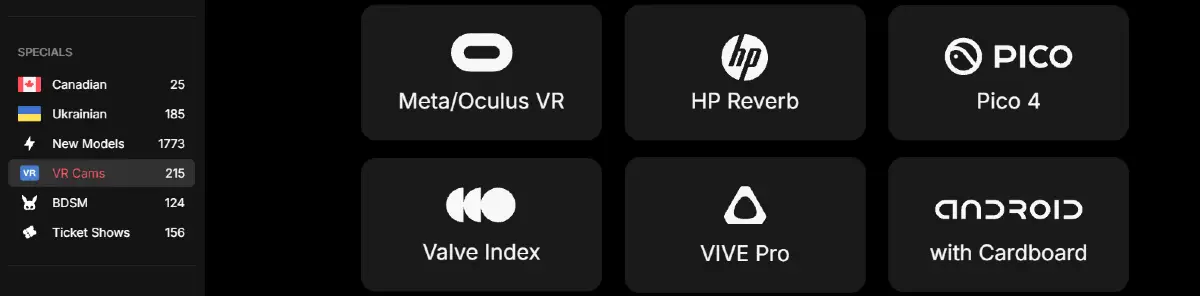
For the best experience, Stripchat recommends Meta headsets such as Quest, Quest 2, Quest 3 and 3S, Quest Pro, Rift, and Rift S, as well as Apple Vision Pro.
The platform also supports Valve Index, HP Reverb, HTC Vive Pro and Vive Pro 2, Pico 4, and newer Android devices that can use VR with Cardboard. Stripchat notes that performance and functionality may vary depending on the device, particularly with older headsets.
Because the supported-device list may change over time, users with less common or older hardware may want to confirm compatibility before relying on a specific headset for Stripchat VR.
What Can You Do in Stripchat VR?
Stripchat VR is designed to make live cam interaction feel more immersive than a standard video stream. Users can enter compatible VR rooms, watch performers in virtual reality, and interact through the platform’s live chat features.
Stripchat also supports private shows in VR, giving users the option to move from a public room into a more personal session with a performer. The platform says users can talk to models during these experiences, adding another layer of interaction beyond simply watching the stream.
VR rooms are designed to let viewers experience the scene from different angles, helping create a stronger sense of presence inside the live show. Stripchat describes this as a more active and immersive way to experience live adult entertainment.
In practice, the main VR features include live viewing, chat, private shows, and a more immersive perspective for users with compatible headsets.
Browsing Stripchat VR Models
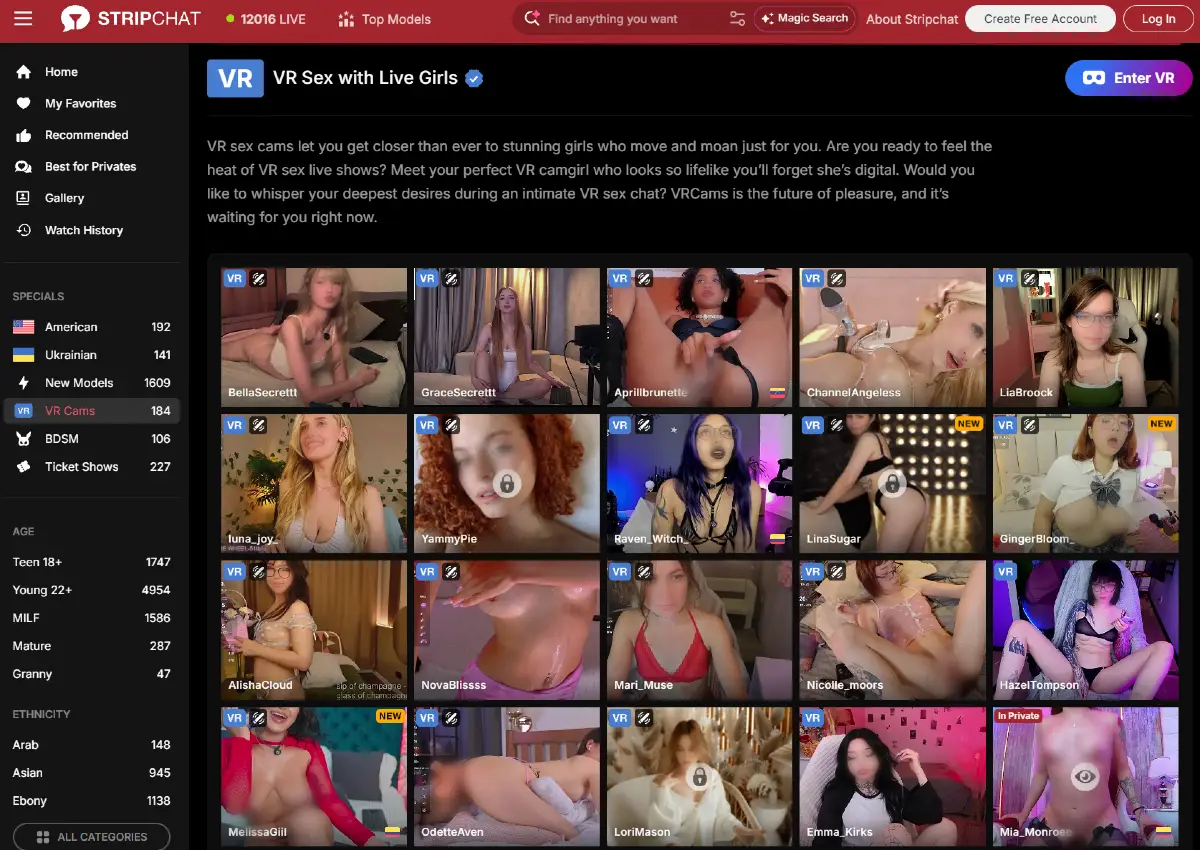
Stripchat places VR performers inside a dedicated VR Cams section that can be opened from the Specials area in the left sidebar. This gives users a direct way to browse models whose rooms are available in virtual reality.
VR-compatible rooms are marked with a visible VR label on the live thumbnails, making them easy to distinguish from standard cam rooms while scrolling through the directory.
The VR page uses the same general browsing layout found elsewhere on Stripchat, with live room previews, model names, country indicators, NEW labels, and other room status markers displayed when available.
Users can also combine the VR directory with Stripchat’s broader discovery tools, including Recommended, New Models, specialty categories, age groups, ethnicity filters, and other sidebar options. This makes it possible to narrow the VR listings without relying only on the default room order.
Stripchat VR Technology
Stripchat says its current VR system is the second major version of the platform’s virtual reality technology. One of the biggest improvements is that users no longer need third-party apps or separate downloads to access compatible VR rooms.
Instead, the experience runs directly through supported headset browsers, which simplifies access and makes it easier to move from the main Stripchat site into live VR shows.
Stripchat also states that it was the first adult entertainment site to offer live shows in high-quality virtual reality. The platform presents VR as an ongoing area of development and says it continues working to support more devices and improve the overall experience.
For users, the main practical benefit is that Stripchat VR now combines live streaming, browser-based access, chat, private shows, and headset compatibility without requiring additional software.
Is Stripchat VR Worth Trying?
For users who already own a compatible VR headset, Stripchat VR is worth trying because it adds a more immersive way to experience live cam rooms without requiring a separate app or third-party software.
The strongest advantages are direct browser access, support for several major headsets, live chat, private shows, and the ability to browse rooms specifically marked for VR. This makes the experience relatively easy to test compared with VR platforms that require additional setup.
The main limitation is hardware. Users need a compatible headset, and Stripchat notes that performance and functionality can vary depending on the device, especially with older models.
Overall, Stripchat VR is most appealing to users who want a more immersive alternative to standard live cam viewing and already have suitable VR hardware. For everyone else, the regular desktop and mobile experience remains the simpler option.
Visit Stripchat.com to explore the platform.